 Agent Docs
FREE · macOS · Windows · Linux
Your project docs, one window away.
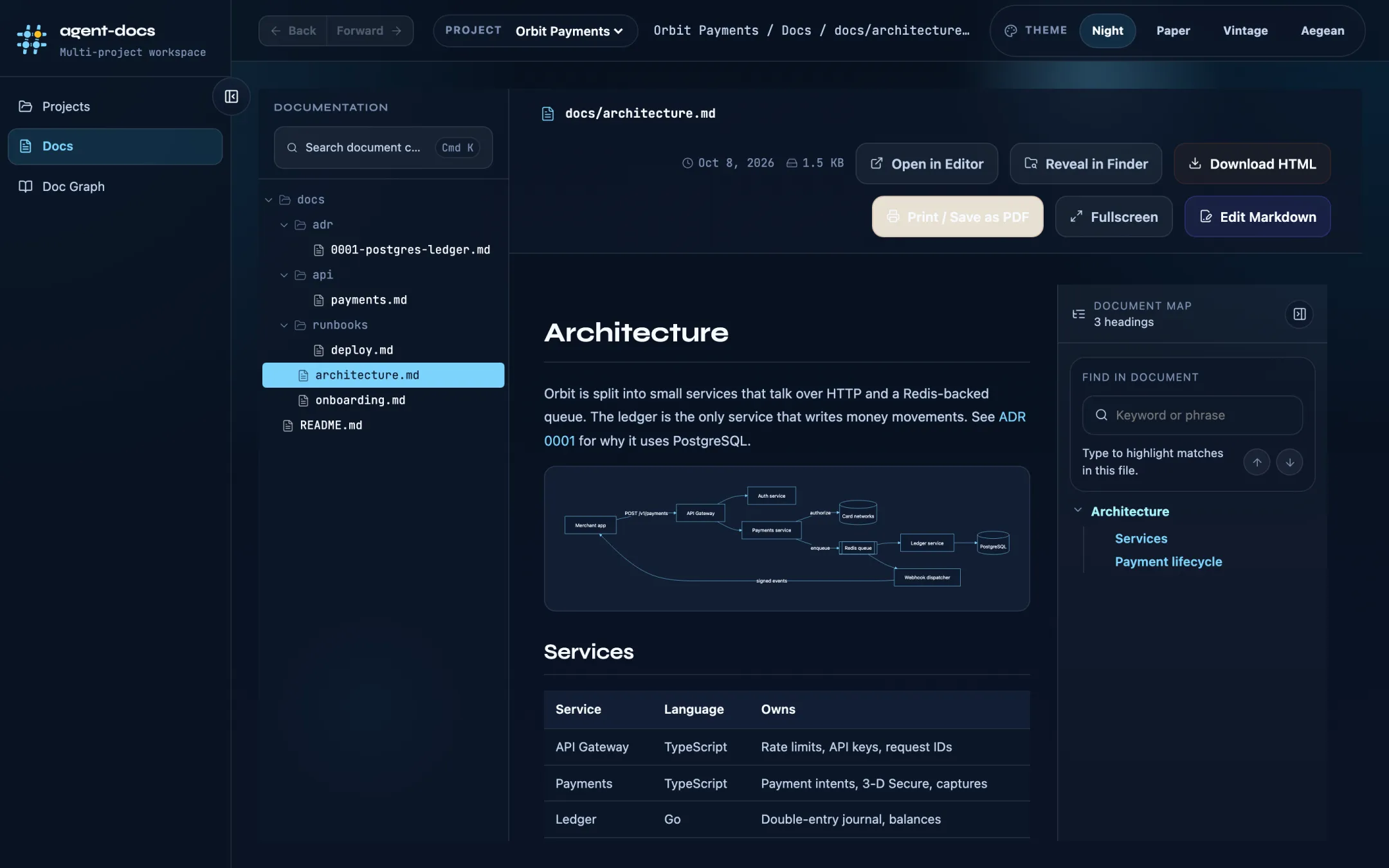
Agent Docs opens the Markdown files in your project folders as a fast, searchable reader and editor, with diagrams, code previews and a link graph. It runs locally: no account, no server, no open port.
A closer look
Point it at a folder. Everything else is read straight from disk and stays in sync while you edit.
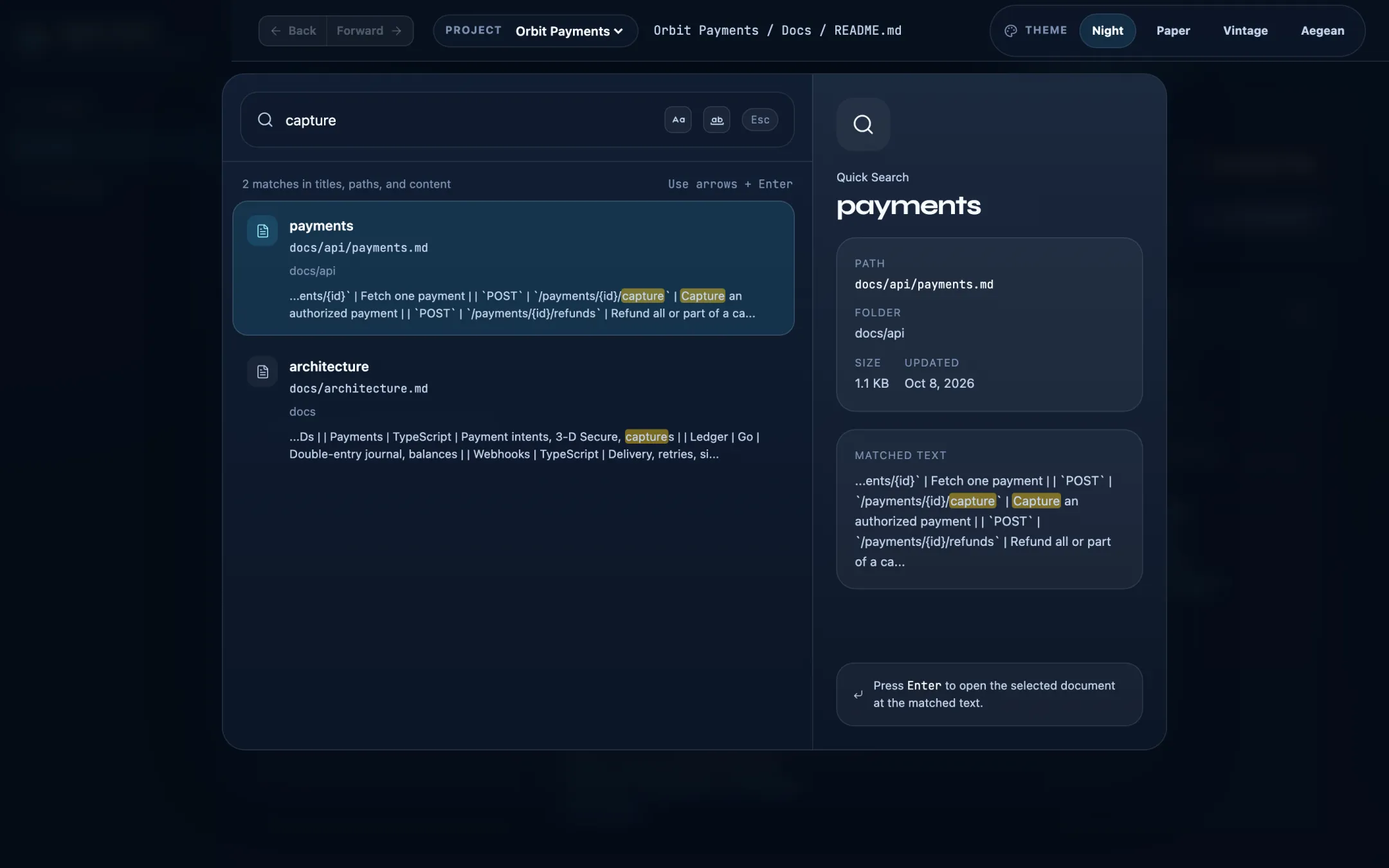
Find any line in any doc
Press ⌘K / Ctrl+K to search titles, paths and content across the whole project. Opening a result jumps straight to the matched text.
- Exact match and match case options
- Keyboard first: arrows + Enter
Docs that read like a product
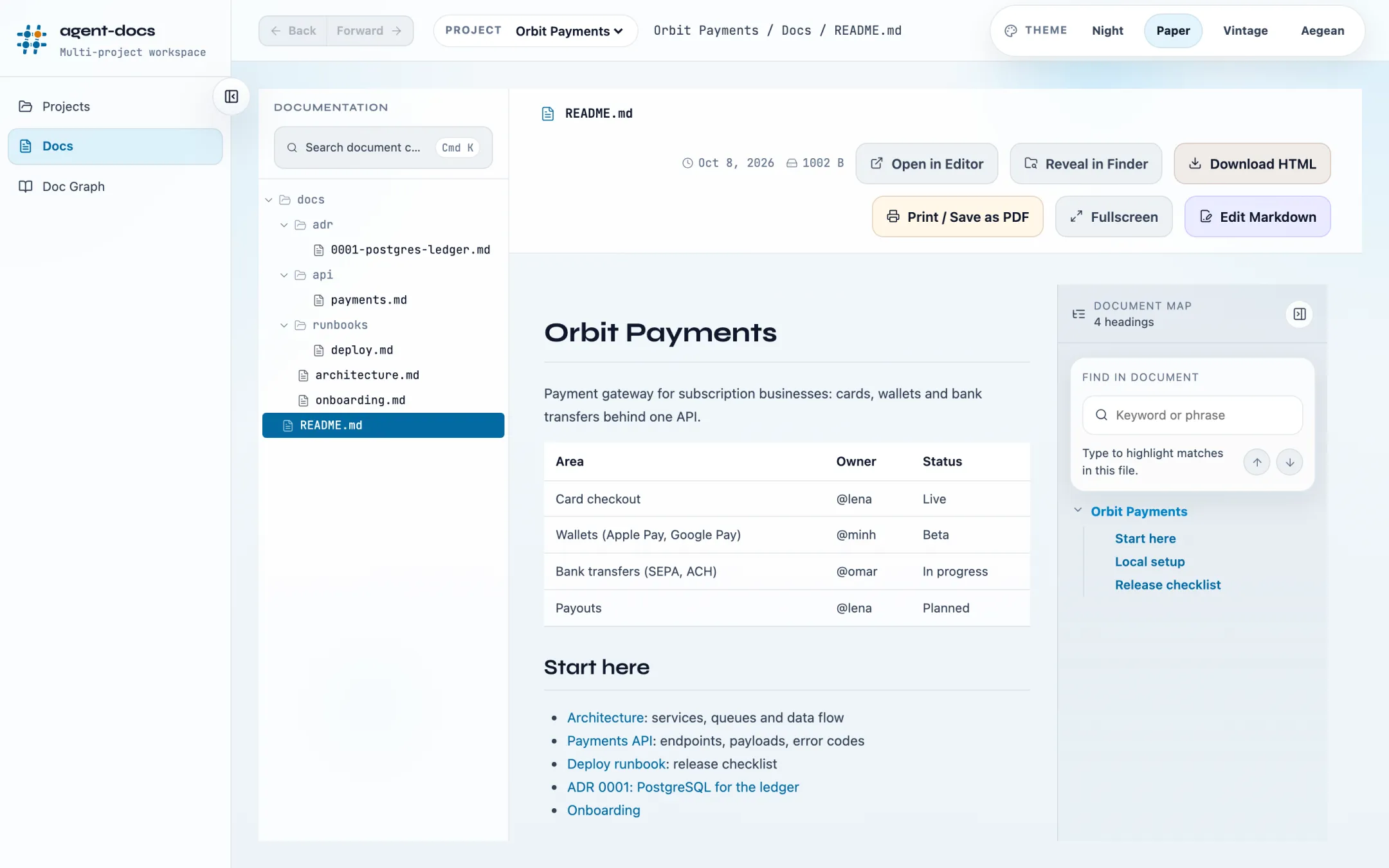
GitHub-flavored Markdown with tables, checklists and syntax-highlighted code. JSON is pretty-printed automatically, and Mermaid, draw.io and animated flow diagrams render inline.
- Document map and find-in-document for long pages
- Edit Markdown in place, export to HTML or PDF
All your repos in one place
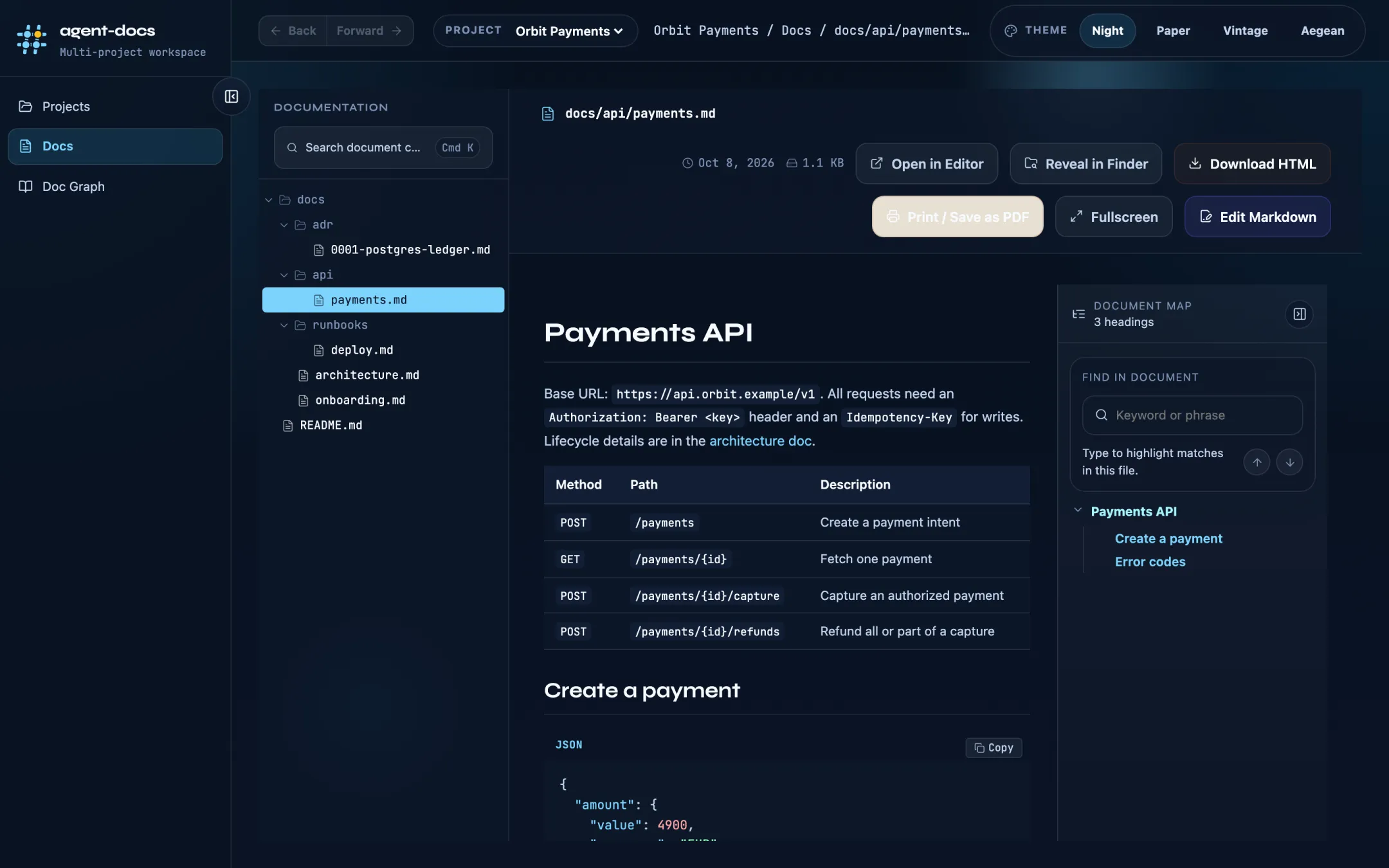
Save as many project folders as you like and switch between them from the top bar. Drop a folder on the window to add it, and skip folders you never want scanned.
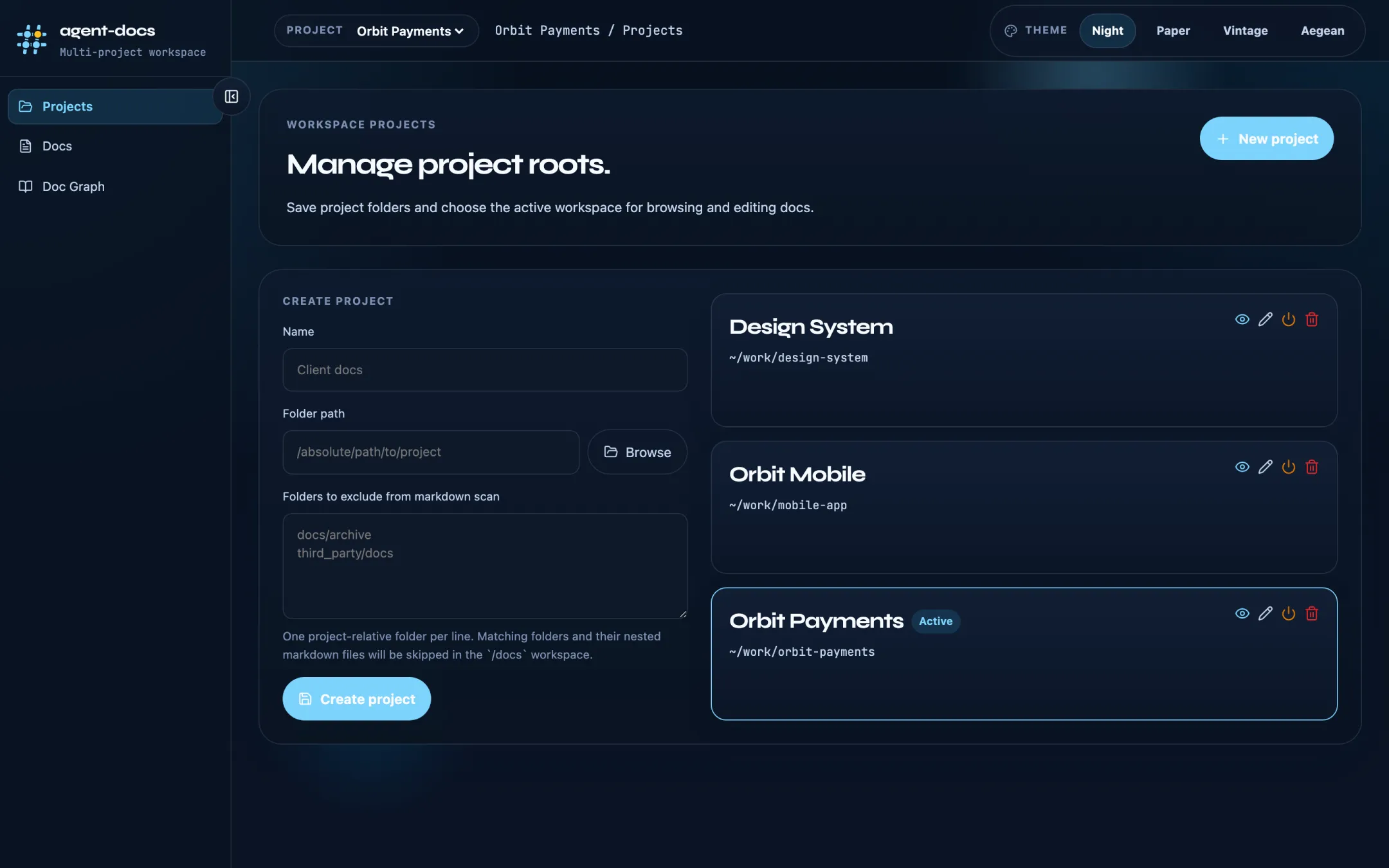
Night, Paper, Vintage, Aegean
Four themes for long reading sessions, from a dark night mode to a bright paper look.
And the small things
Built as a native app with Tauri: a small installer, quick startup and low memory use.
Code previews
Links to source files open a highlighted preview next to the doc. CSV and TSV files show as tables.
Document link graph
See how your docs link to each other and spot pages nothing points to.
Signed updates
New versions download inside the app and are checked against the app's signing key before installing.
Download
Always the newest release.
First launch
The installers are not yet signed with an Apple or Microsoft certificate, so the OS asks once. In-app updates are always verified with the app's own signing key.
macOS: "Agent Docs can't be opened"
- Open the
.dmgand drag Agent Docs into Applications. - In Applications, right-click Agent Docs, choose Open, then Open again.
- Or go to System Settings › Privacy & Security and click Open Anyway.
Windows: "Windows protected your PC"
Click More info, then Run anyway. The installer sets the app up for your user only and needs no admin rights.
Linux
AppImage: chmod +x agent-docs_*.AppImage and run it. If it reports No suitable fusermount binary, install fuse3 or run it with --appimage-extract-and-run.
Debian/Ubuntu 22.04+: sudo apt install ./agent-docs_*_amd64.deb